






The Complete Guide to GSM and Paper Thickness for Printing Leave a comment
Have you ever been frustrated by prints that smudge, curl, or look dull despite using high-quality ink? The secret to perfect printing doesn’t just lie in the ink it starts with the paper. Understanding the GSM (grams per square meter) and paper thickness can make the difference between a professional, crisp print and a disappointing outcome. Premium inkjet printing paper options, such as well-known choices like Epson inkjet paper, often highlight these differences clearly.
Whether you’re printing everyday documents, high-quality photos, or premium brochures, knowing the relationship between GSM and thickness ensures optimal print results. For inkjet printing, selecting the right paper also prevents printer jams, ink bleed, and wasted resources.
In this guide, we’ll explore how GSM and thickness impact print quality, the best practices for choosing paper, and how you can ensure every print meets your expectations. Let’s dive in!
What is GSM and Why It Matters
GSM, or grams per square meter, measures the weight of paper per unit area. While it doesn’t directly measure thickness, it provides a strong indication of the paper’s density and durability. Higher GSM means a sturdier, more premium feel, while lower GSM results in lighter, more flexible sheets.
For instance, standard A4 printer paper often ranges from 70–100 GSM, perfect for daily printing, letters, and documents. On the other hand, cardstock or premium brochure papers may range from 200–300 or 300+ GSM, providing a professional feel and supporting ink absorption for vibrant prints. Many photographers prefer materials like Innova inkjet paper for fine-art reproductions because it balances GSM and coating quality exceptionally well.
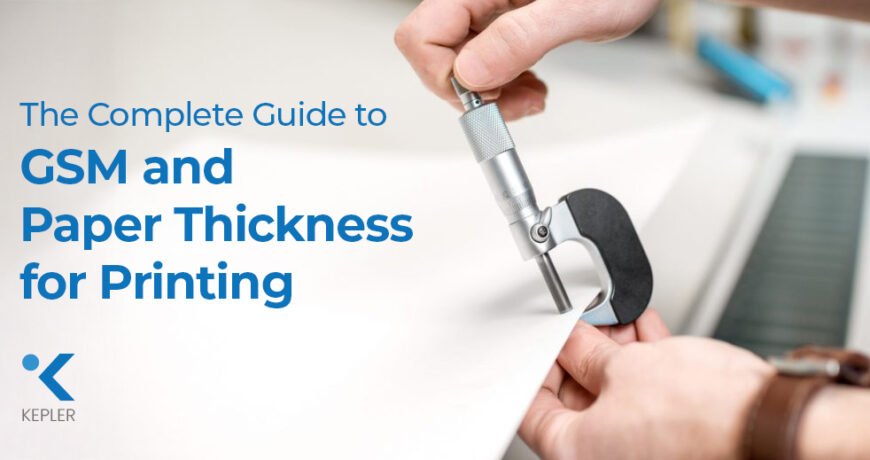
Paper thickness is measured in microns (μm) and is influenced by bulk, density, and coating. Two sheets may have the same GSM but differ in thickness due to how they are manufactured or coated. This is especially important for inkjet printing paper, where thickness affects printer feed, ink drying, and print sharpness.
Knowing GSM and thickness helps you select paper that is compatible with your printer, ensures durability, and produces the exact print quality you want.
Next time you pick up a sheet of paper, feel the difference between a 90 GSM and a 250 GSM sheet. You’ll immediately notice the stiffness and weight that impact your printing experience.
How Different GSM Levels Affect Printing
Understanding the common GSM ranges helps you choose the right paper for your project:
35–55 GSM:
Ultra-lightweight papers like newspapers or receipts. Not ideal for inkjet printing due to ink bleed and fragility.
70–100 GSM:
Standard office printing paper, including most A4 printer paper. Perfect for documents, letters, and general use. Inkjet printers handle this range easily, providing smooth and sharp prints.
100–170 GSM:
Medium-weight paper used for flyers, brochures, and presentations. Absorbs ink well, supports vibrant colors, and is compatible with most home and office inkjet printers.
200–300 GSM:
Thick cardstock suitable for business cards, postcards, and high-quality flyers. Heavier GSM prevents bleed-through, enhances color richness, and gives a premium feel. Some inkjet printers require manual feed for this range.
300+ GSM:
Extra-thick sheets for packaging, invitations, and luxury cards. Only supported by professional inkjet printers capable of handling heavy stock.
To determine the right GSM, consider the project’s purpose. Everyday documents can use lighter GSM, while premium items like brochures or business cards benefit from heavier GSM. Certain specialty brands, like Korejet inkjet paper, are known for offering consistent GSM options for both office and production environments.
How Paper Thickness Influences Print Quality
Paper thickness affects stiffness, ink absorption, and texture. For inkjet printing:
Stiffness and Durability:
Thicker paper resists curling and bending. This is crucial for brochures, business cards, and professional presentations.
Ink Absorption and Finish:
Coated paper, often thinner than uncoated sheets of the same GSM, allows vibrant color reproduction and sharper prints. Uncoated paper absorbs more ink, resulting in a softer finish.
Printer Compatibility:
Thick or dense sheets may jam in printers not designed for high-GSM stock. For heavy prints, always consult your printer manual.
Examples:
- 120 GSM uncoated paper: Ideal for photo-quality flyers; prints vibrant but still flexible.
- 250 GSM coated paper: Perfect for business cards; rich colors and sturdy feel.
- 300+ GSM cardstock: For invitations or packaging; professional finish but requires specialized inkjet printers.
Fine-art photo media, like Olmec inkjet photo papers, are good examples of how coating and thickness work together to enhance sharpness and color depth.
If your prints smudge or curl, the paper’s thickness may be the culprit. Testing different thicknesses ensures smooth, sharp results without wasting ink or paper.
Choosing the Right GSM and Thickness for Your Printing Project
Selecting the right inkjet printing paper depends on what you’re printing, the finish you want, and your printer’s capabilities. Before choosing, consider the following:
1. Printing Purpose
Think about the final use of your print:
- Everyday text documents → Choose lightweight papers that dry quickly and feed smoothly through most inkjet printers.
- Marketing materials or creative projects → Medium GSM papers provide better color density and reduce show-through.
- Professional, premium, or long-lasting prints → Higher GSM and thicker stocks add durability and a premium tactile feel.
2. Printer Compatibility
Not all inkjet printers can handle very thick or heavy media.
- Home/office inkjet printers work best with light to medium GSM ranges.
- Professional and wide-format inkjet printers can process high-GSM, thick papers like those used for fine-art printing or premium photo media.
Check the printer’s supported GSM limit before selecting your paper.
3. Finish & Coating Selection
Coated papers—such as glossy, satin, luster, or matte inkjet printing paper—enhance color, sharpness, and detail.
- Glossy and satin → Ideal for images, graphics, and vibrant colors.
- Matte → Perfect for text-heavy prints, art reproductions, or soft-tone visuals.
These coatings help control ink absorption and prevent bleeding.
4. Budget & Project Scale
Higher GSM and specialty coatings generally cost more.
If you’re printing in bulk (flyers, handouts, draft prints), a balanced GSM with standard coating is more cost-efficient.
For premium deliverables (client work, product packaging, portfolio prints), investing in thicker, coated stocks delivers professional results.
Best Practices for Working with GSM Paper
- Avoid Jams: Use the manual feed tray for high-GSM sheets.
- Ink Testing: Test ink absorption to avoid smudging.
- Coating Matters: Glossy or coated papers may need longer drying times.
- Folding Considerations: Heavy GSM may crack when folded. Score thick sheets before folding.
- Printer Maintenance: Regularly clean rollers and nozzles to handle thicker papers efficiently.
If your project involves multiple GSM types, label each stack clearly. This prevents mistakes and ensures consistent quality across prints.
FAQs
Q1: Can inkjet printers produce excellent results on high-GSM paper?
Yes. Many modern inkjet printers handle high-GSM paper beautifully, especially when using manual feed trays designed for thicker media.
Q2: Does choosing the right GSM improve inkjet print quality?
Absolutely. Selecting a suitable GSM enhances color vibrancy, prevents show-through, and gives your prints a more premium, professional feel.
Q3: Can GSM help improve ink absorption for sharper prints?
Yes. Papers with higher GSM typically offer better ink absorption, resulting in crisp text, richer colors, and smoother gradients.
Q4: Is it easy to select the right GSM for different inkjet printing projects?
Yes. Matching GSM to your project is simple—lighter GSM for documents, medium GSM for brochures, and higher GSM for cards and premium prints.
Q5: Can I find high-GSM inkjet printing papers from reliable suppliers?
Yes. Trusted providers like Kepler Tech LLC offer a wide range of high-GSM and premium inkjet printing paper options with consistent quality.
Conclusion
Understanding GSM and paper thickness is essential for achieving high-quality prints. The right paper prevents smudging, curling, and jams while enhancing color vibrancy and durability. Whether you are printing everyday documents, premium brochures, or luxury business cards, matching GSM and thickness to your project ensures professional results every time.
For reliable, high-quality inkjet printing paper, consider sourcing from experts. Kepler Tech LLC, authorized inkjet paper suppliers in Dubai, offers a wide range of papers suitable for all printing needs—from standard office documents to premium cardstock and photo papers. As one of the leading authorized inkjet media suppliers in Dubai, we provide consistent quality and expert support for all your printing needs.
Choosing the right paper, combined with the right printer and technique, guarantees prints that look professional and leave a lasting impression.
Ready to elevate your printing? Start by choosing the right GSM and paper thickness for your next project today.