






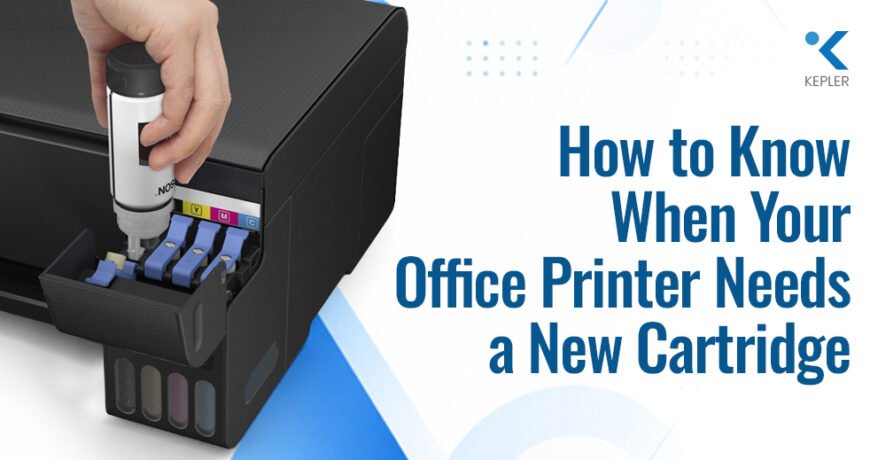
How to Know When Your Office Printer Needs a New Cartridge Leave a comment
An office printer usually doesn’t go from working perfectly to completely empty without giving you a few clues first. You might notice that your documents are becoming lighter, colours don’t look as sharp as they used to, or the printer keeps displaying a low-ink notification. Sometimes, the signs are subtle enough that you may continue printing without realizing that a cartridge is close to being depleted.
But here’s where things can get confusing: poor print quality doesn’t always mean you need a new cartridge.
A clogged printhead, incorrect paper setting, unsuitable media, or a printer maintenance issue can create symptoms that look very similar to low ink. The signs can also vary between brands such as Epson, HP, Canon, and Brother because their printers use different ink, cartridge, and printer consumable systems.
So, how can you tell when your printer really needs a replacement? What should you check before buying a new cartridge, and what can you do if changing the cartridge doesn’t fix the problem?
Let’s go through the signs, checks, and replacement considerations that can help you make the right decision.
What Are the Signs That Your Office Printer Needs a New Cartridge?
Before replacing a cartridge, look at what has changed in your printed documents and what the printer is telling you. A single poor-quality page may not mean the ink is finished, but repeated problems are worth investigating.
A cartridge that is approaching the end of its usable ink supply may cause:
- Faded or lighter-than-usual text
- Colours that appear weak or disappear
- Streaks, gaps or blank areas
- Increasingly inconsistent print quality
- Low-ink or cartridge warnings
- A message indicating that a cartridge is expended
- Certain colours printing incorrectly or not appearing at all
The exact symptoms depend on the printer, ink system and type of document being printed. An office that mostly prints black-and-white documents may not notice a colour cartridge running low until a presentation, graphic or marketing document requires that particular colour.
This is why paying attention to gradual changes can be more useful than waiting for the printer to stop printing completely.
Is Faded Printing a Sign of Low Ink?
Faded printing is one of the most common signs people associate with an empty or nearly empty cartridge. If text that normally appears dark starts looking grey or images lose their intensity, the ink supply may be getting low.
However, don’t immediately order a replacement.
Your printer may be using an economy or draft setting, for example, which can intentionally reduce ink usage. The selected paper type can also influence how ink is absorbed and how dark or vibrant the final print looks.
If the problem appears repeatedly across different documents, check the ink status and print settings. A nozzle check or other printer maintenance function may also help identify whether the issue is related to ink delivery.
When fading occurs together with a low-ink notification, the cartridge becomes a more likely cause.
What Does It Mean When Some Colours Are Missing?
Colour problems can provide another useful indication that an ink supply needs attention.
Imagine printing a document containing a blue company logo. The black text still looks fine, but the logo suddenly appears pale, distorted or almost colourless. If other colours are printing normally, one particular colour supply may be low or may not be reaching the printhead correctly.
Many inkjet printers use separate colour cartridges or ink supplies. This means a business may only need to replace the depleted colour rather than replacing every cartridge at the same time.
This is also where understanding your printer model becomes important. Epson printer cartridges, for example, vary according to the printer series and model. The correct replacement should therefore be identified using the printer’s specifications rather than simply searching for a general Epson ink cartridge.
How Do You Know If the Printer Is Reporting Low Ink?
Modern printers can often tell you when their ink supply is getting low before printing stops.
Depending on the printer model, a notification may appear on the printer’s screen, on your computer, or through printer management software. Some printers may also display a specific message indicating that a particular cartridge or ink supply needs attention.
A low-ink notification is useful because it gives you time to prepare a replacement before the printer becomes unusable. However, it doesn’t necessarily mean that every cartridge needs replacing immediately.
It’s better to check which colour or consumable is being identified and compare the warning with the actual print quality.
For businesses that print frequently, paying attention to these notifications can also help avoid an inconvenient situation where a cartridge runs out during an important print job.
How Can You Check Whether the Cartridge Is Actually Empty?
Before purchasing a replacement, check the printer’s ink or consumable status.
Most modern printers provide some way to view the estimated ink level, although the process varies by brand and model. You may find the information on the printer’s control panel, within printer software on a computer, or through a supported mobile application.
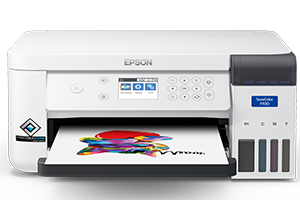
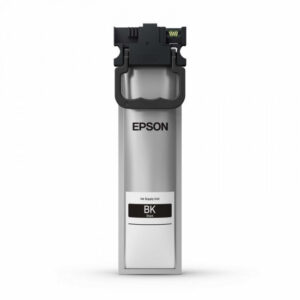
For example, Epson printers can use different ink supply systems, so the method isn’t necessarily the same across the entire range. Some Epson models use individual cartridges, while other models use high-capacity ink tanks or other ink supply configurations.
If you’re using an ink-tank printer, visually checking the ink level may also be relevant depending on the model.
The important thing is to check the instructions for your exact printer rather than assuming that every Epson, HP, Canon or Brother printer works in the same way.
Do Epson, HP, Canon and Brother Printers Use the Same Cartridges?
No. Printer cartridges and other consumables are generally designed for specific printer models or series.
Epson, HP, Canon and Brother each have their own printer ranges and consumable systems. Even within one brand, two printers can require completely different cartridges.
For example, an Epson office printer may use a specific cartridge number or ink supply designed for that particular series. Another Epson printer may use a completely different consumable. Similar model-specific requirements exist across other printer manufacturers.:
- aded or lighter-than-usual text
- Colours that appear weak or disappear
- Streaks, gaps or blank areas
- Increasingly inconsistent print quality
- Low-ink or cartridge warnings
- A message indicating that a cartridge is expended
- Certain colours printing incorrectly or not appearing at all
Is Faded Printing a Sign of Low Ink?
Faded printing is one of the most common signs people associate with an empty or nearly empty cartridge. If text that normally appears dark starts looking grey or images lose their intensity, the ink supply may be getting low.
However, don’t immediately order a replacement.
Your printer may be using an economy or draft setting, for example, which can intentionally reduce ink usage. The selected paper type can also influence how ink is absorbed and how dark or vibrant the final print looks.
If the problem appears repeatedly across different documents, check the ink status and print settings. A nozzle check or other printer maintenance function may also help identify whether the issue is related to ink delivery.
When fading occurs together with a low-ink notification, the cartridge becomes a more likely cause.
What Does It Mean When Some Colours Are Missing?
Colour problems can provide another useful indication that an ink supply needs attention.
Imagine printing a document containing a blue company logo. The black text still looks fine, but the logo suddenly appears pale, distorted or almost colourless. If other colours are printing normally, one particular colour supply may be low or may not be reaching the printhead correctly.
Many inkjet printers use separate colour cartridges or ink supplies. This means a business may only need to replace the depleted colour rather than replacing every cartridge at the same time.
This is also where understanding your printer model becomes important. Epson printer cartridges, for example, vary according to the printer series and model. The correct replacement should therefore be identified using the printer’s specifications rather than simply searching for a general Epson ink cartridge.
How Do You Know If the Printer Is Reporting Low Ink?
Modern printers can often tell you when their ink supply is getting low before printing stops.
Depending on the printer model, a notification may appear on the printer’s screen, on your computer, or through printer management software. Some printers may also display a specific message indicating that a particular cartridge or ink supply needs attention.
A low-ink notification is useful because it gives you time to prepare a replacement before the printer becomes unusable. However, it doesn’t necessarily mean that every cartridge needs replacing immediately.
It’s better to check which colour or consumable is being identified and compare the warning with the actual print quality.
For businesses that print frequently, paying attention to these notifications can also help avoid an inconvenient situation where a cartridge runs out during an important print job.
How Can You Check Whether the Cartridge Is Actually Empty?
Before purchasing a replacement, check the printer’s ink or consumable status.
Most modern printers provide some way to view the estimated ink level, although the process varies by brand and model. You may find the information on the printer’s control panel, within printer software on a computer, or through a supported mobile application.
For example, Epson printers can use different ink supply systems, so the method isn’t necessarily the same across the entire range. Some Epson models use individual cartridges, while other models use high-capacity ink tanks or other ink supply configurations.
If you’re using an ink-tank printer, visually checking the ink level may also be relevant depending on the model.
The important thing is to check the instructions for your exact printer rather than assuming that every Epson, HP, Canon or Brother printer works in the same way.
Do Epson, HP, Canon and Brother Printers Use the Same Cartridges?
No. Printer cartridges and other consumables are generally designed for specific printer models or series.
Epson, HP, Canon and Brother each have their own printer ranges and consumable systems. Even within one brand, two printers can require completely different cartridges.
For example, an Epson office printer may use a specific cartridge number or ink supply designed for that particular series. Another Epson printer may use a completely different consumable. Similar model-specific requirements exist across other printer manufacturers.
Before buying a replacement, check:
- The printer brand and exact model
- The cartridge or consumable number
- The required ink colour
- The ink or consumable type
- Compatibility with the printer
- Expected page yield where relevant
This is particularly important when a business has several printers in the same office. A cartridge that looks almost identical to another one may not necessarily be suitable for both machines.
Why Is Choosing the Right Printer Cartridge Brand Important?
If your business uses Epson equipment, searching for an Epson printer cartridge by brand alone isn’t enough.
The exact printer model should come first. Once you know the model, you can identify the appropriate cartridge or ink specification.
Epson offers a broad range of office printing solutions, and different models can use different ink systems. Some are designed around individual replaceable cartridges, while others use high-capacity ink systems intended for different printing environments.
This means that two Epson printers sitting next to each other could potentially require different consumables.
For an office environment, keeping a record of each printer’s model and compatible consumables can make cartridge management much easier. It can also reduce the possibility of ordering the wrong cartridge when a replacement is needed urgently.
Is Every Print Quality Problem Caused by the Cartridge?
No, and this is one of the most important things to remember.
A printer can produce faded, streaked, or incomplete documents even when there is still sufficient ink available. If you replace the cartridge every time print quality changes, you could end up spending money on consumables without fixing the actual problem.
Other possible causes include:
- Clogged printhead nozzles
- Incorrect print settings
- Incorrect paper or media settings
- Printhead alignment problems
- Unsuitable printing media
- General printer maintenance issues
For example, if a printer has been sitting unused for an extended period, ink-related delivery problems may occur. In such a situation, replacing a cartridge may not resolve the issue if the actual problem is related to the printhead or nozzles.
The printer’s recommended maintenance and print-quality checks should therefore be considered before replacing a cartridge unnecessarily.
What Should You Check Before Buying a Replacement Cartridge?
Once you’ve established that the cartridge really is depleted, don’t rush to buy the first cartridge that appears in search results.
Start with the printer model and then identify the compatible consumable. This is especially important when purchasing printer cartridges, as the correct cartridge can depend on the specific printer series.
You should consider the following:
Printer model
Confirm the exact model number rather than relying only on the manufacturer name.
Cartridge number
Check the part or cartridge number recommended for the printer.
Ink colour
If the printer uses separate colour supplies, identify which colour actually needs replacement.
Ink type
Make sure the consumable is intended for the printer’s particular ink system.
Expected printing volume
An office printing hundreds of pages every week may have different requirements from a small workplace with occasional printing.
Page yield
Yield can help you understand how much printing a cartridge is designed to provide, although actual results can vary according to document content, print settings and usage conditions.
Taking a few minutes to verify these details can prevent the inconvenience of receiving an unsuitable cartridge.
How Can You Make Your Printer Cartridge Last Longer?
Replacing cartridges is a normal part of maintaining an inkjet printer, but sensible printing habits can help manage how quickly ink is consumed.
For everyday internal documents, you may not need the highest available print-quality setting. Using an appropriate quality mode can help avoid unnecessary ink consumption.
Similarly, printing a document in colour when black-and-white would be sufficient can use additional colour ink. Choosing the correct paper setting is also important because the printer adjusts how it applies ink based on the selected media.
A few simple habits can help:
- Use colour printing when it is actually required
- Select an appropriate print-quality mode
- Use the correct paper or media setting
- Avoid unnecessary printhead cleaning cycles
- Follow the manufacturer’s maintenance recommendations
- Print regularly if the printer’s maintenance guidance recommends it
It is also worth remembering that printer maintenance can consume ink. Repeatedly running cleaning cycles without addressing the underlying cause may therefore increase consumable usage.
What If the New Cartridge Doesn’t Fix the Problem?
You’ve installed the correct cartridge, but the print still looks faded. What next?
Don’t assume the new cartridge is defective immediately.
First, check that it has been installed correctly and that the printer recognizes it. Then run the printer’s recommended print-quality or nozzle check. Look at the paper settings as well, particularly if the problem appears only when using a particular type of paper.
If the problem continues, the cause could be somewhere else in the printer.
This is particularly important in a business environment. When several employees rely on the same printer for invoices, reports, forms, and other documents, repeatedly replacing cartridges can create unnecessary expenses while the actual maintenance issue remains unresolved.
In such cases, professional printer servicing can help identify whether the problem is related to the printhead, ink delivery, software, settings, or another component.
When Should You Contact a Printer Supplier or Service Provider?
Replacing a cartridge yourself is usually straightforward when you know exactly which consumable your printer requires. But professional support can become useful when cartridge problems happen repeatedly or when you’re managing several printers.
You may benefit from supplier or service support if:
- You aren’t sure which cartridge your printer needs
- The printer repeatedly displays consumable warnings
- A new cartridge doesn’t improve print quality
- Several printers require different consumables
- You need regular printer maintenance
- Your business has high-volume printing requirements
For Epson users, having access to a supplier familiar with Epson printers and consumables can make it easier to identify the appropriate ink or cartridge for each printer model.
This can be particularly useful for businesses that use different Epson printer series and need to manage their consumables efficiently.
Frequently Asked Questions
1. How do I know when my office printer cartridge needs replacing?
Look for repeated signs such as faded printing, missing colours, low-ink warnings or an indication that a cartridge is expended. Check the printer’s reported ink level and perform the recommended print-quality checks before replacing it.
2. Why is my printer printing faded pages even though there is ink?
Faded output can have several causes. Incorrect print settings, unsuitable paper, clogged nozzles, and other maintenance issues can affect print quality even when ink remains in the cartridge.
3. How can I check the ink level on an Epson printer?
The process depends on the Epson printer model and ink system. Depending on the model, you may be able to check ink status through the printer’s display, computer software or another supported interface. Ink-tank models may also allow you to visually inspect the ink level.
4. Can I use the same Epson cartridge in different printers?
Not necessarily. Epson cartridges are generally designed for specific printer models or series. Always check the exact printer model and compatible cartridge number before purchasing.
5. Does a low-ink warning mean that the cartridge is completely empty?
Not necessarily. A low-ink notification generally means that the printer estimates the ink supply is getting low. The exact warning behaviour varies between printer models and ink systems.
6. Can I replace only one colour cartridge?
If your printer uses individual colour cartridges, you may only need to replace the depleted colour. However, the exact replacement process depends on the printer model and its ink system.
7. How can I reduce printer ink consumption?
Use appropriate print-quality settings, avoid unnecessary colour printing, choose the correct paper settings, and follow the printer manufacturer’s maintenance recommendations. Avoid running cleaning cycles more frequently than necessary.
Conclusion
Knowing when your office printer actually needs a new cartridge can help you avoid unnecessary replacements and unexpected interruptions. Faded documents, missing colours, low-ink notifications and inconsistent print quality are useful warning signs, but they should be considered alongside the printer’s ink status and maintenance condition.
Before purchasing a replacement, always check the exact printer model, cartridge number and ink system. This is especially important when a business uses multiple printers or different brands, as Epson, HP, Canon and Brother can all have different consumable requirements.
For businesses using Epson printers, selecting the correct Epson printer cartridges and consumables can help maintain consistent print quality and smooth day-to-day printing. If you need assistance with Epson printers, cartridges or other printing requirements, Kepler Tech LLC, one of the authorized Epson dealers in Dubai and across the UAE, can help businesses find suitable Epson printing solutions based on their requirements.